Automatic Textile Screen Printing

That’s right; Catspit Productions specializes in manual screen printing but also has automatic printing capabilities. In the latest educational screen printing video I show you two clips from two different automatic screen printing print jobs. I thought you all would enjoy seeing the automatic side of screen printing here at Catspit Productions. This is a very short upload to YouTube but it’s an entertaining 4 minutes.

In the video called “Automatic Textile Screen Printing” you will get to see an M&R Diamondback in operation. Now I did have the machine running slow due to the fact that I was all alone and had to watch every aspect of the print job myself. But none the less you get a pretty good idea of what it looks like when these giant automatic tee shirt presses are in action with actual shirts rather than show demos. When you want to run these larger screenprinting presses at full capacity, you really need 3 people to operate the press. The first and foremost important person is the printer. This is the person responsible for the print job and the person who will operate and set up the press. The second person is the press assistant or the off loader. He or she will unload the printed shirts and place them onto the belt dryer. This person will also be checking the print for quality. This can be a very demanding position as this person may also be responsible for applying spray tack and possibly watching the ink levels on the screens. The third person will actually be at the end of the belt dryer where he or she will catch the shirts and flat fold them according to dozens and sizes. This person will also serve as a print quality and ink curing check inspector.

In my experience we rely on the third person at the end of the dryer to make sure the shirt is printed well, the ink is fully cured and the shirts are not burning in the oven especially when dealing with whites. That person can call to stop the press at anytime for any reason. While the press operator and the un-loader may converse on the decision to stop production. In the end it takes the full cooperation of all three individuals to get an automatic press like the M&R Diamondback to run at full capacity. That’s why in my short automatic printing video the press is running slow. I was alone and had to perform all of these duties myself at the same time. It still beats printing 500 pieces manually!

Thanks for stopping by the blog and having a read! I appreciate that. Learn how to screen print with Catspit productions, LLC!
Posted in Screen Printing, Screen Printing Videos, YouTube | Tagged | Leave a comment

How To Screenprint: Tips For Cleaning Ink Off Screens

Yes! This is another new screen printing video that has been uploaded to YouTube. I have been very busy the past few weeks and I even had some dental issues which I am working out currently so this video was actually uploaded last week but I am just now getting to blogging about it. Now this is a video which I have wanted to make for some time, as are many of my videos. But the difference here is that this one has been requested a few times by our YouTube viewers. The video topic is very simple and at first you may ask, why make such a video? Who would ask such a simple question? But the truth of the matter is that many people ask about this topic more than you would think.

This educational screenprinting video is about how to clean inks off the screen. The video is called, “How To Screenprint: Tips For Cleaning Ink Off Screens”. In this video I share with you the two most common methods I use in my shop to clean ink from screens. In one version of my cleaning methods we will reuse the screen again at some time with the same or different color inks. The second type of ink cleaning I do only when I know I will be reclaiming the screen in order to make a new stencil. That’s right, there a difference in the way I clean my ink off the screen depending on where the screen id going next. If it’s off to storage for reuse, I do one thing. If it’s being reclaimed, I do another.

So make sure to stop by the YouTube channel and the website to learn more about how to screen print your own tee shirts at home for fun or for profit. The content on my website will help you out tremendously and the screen printing videos on YouTube will be invaluable to you in your research efforts. They are available to you 24 hours a day, 7 days a week for free! You can find them on YouTube.com or you can find a categorized link list of all my videos on my website:

CatspitProductions on YouTube.com

Catspit Educational Video Archive

Thanks a lot for reading. I appreciate all your support and attention. Learn how to screen print with Catspit Productions, LLC!

Posted in Screen Printing, Screen Printing Videos, YouTube | Tagged , | Leave a comment

Make Screens For Screenprinting Without Film, Emulsion Or An Exposure Unit!

I was finally able to make a video this week that I have been trying to make for some time. I added RhinoTech to the Print Supplies page of the Catspit website and they feature a dry stencil system for making screens for screenprinting. This is a very cool process where you can make a stencil for screen printing tee shirts with a laser printer and a heat press. I originally had problems making the video because I had the temperature wrong and my laser printer is a piece of junk… LOL. So I asked Greg Markus of RhinoTech to send me some preprinted samples of the product which I could then use in a video. As I tested and worked with the product, I discovered that it is very easy to use if you follow the instructions closely.

The first thing I discovered was the product definitely needs a perfect working laser printer for best results. If you sue a laser printer that leaves white spots or streaks, that will leave holes in he finished stencil. Therefore, the better the laser print, the better the stencil. I also learned that the temperatures at which you marry the adhesive sheet to the image sheet is critical. You need to make sure the heat press temperature is set properly fort this phase of the process. And as it is a two part method, you will need to reset the temperature of the heat press to actually make the stencil on the screen.

The first part of the process will put the adhesive onto the toner areas only. Now with this stencil making method we use a negative rather than a positive to make the screen. This is due to the fact that it is the toner that will ultimately make the stencil. Once the adhesive sheet has been heat pressed to the laser printed image sheet we can peel the two apart while hot. This will leave us with the stencil transfer which is now ready to apply to the screen in the heat press. The process is very similar to using self-weeding laser heat transfer paper for tee shirts.

At this point we have to raise the heat press setting to a higher level and press the stencil transfer to the screen. After the dry stencil has been pressed to the screen mesh it will need to cool off. I like to let it get to room temperature before peeling it off with a quick pull. I think pulling it off almost like a band aide helps the process work better. Make sure to watch the video embedded in this  blog post. It goes through the entire process and gives you a look at what it should look like when you try it.

It’s such a cool method because all you need is a laser printer and a heat press. No film, no emulsion, no exposure units and even no water needed to make the screen. The areas that are left open after the stencil is made are blocked off with screen tape or block out fluid. Then the stencil may be reclaimed with only a pressure washer. You might need a little haze remover to clean up the screen of toner stains but all in all this is a very handy product. It can be used with plastisol and water based inks. I have yet to do further testing on durability or longevity. I would definitely recommend this for home printers, beginners and even shops that may have different uses for such a process. It’s great for one offs! Excellent hobby product too.

Also please remember that this product is available on the Print Supplies page of the Catspit website. Please visit the RhinoTech listing here: 

http://catspitproductionsllc.com/rhinotech.aspx.

There you can take advantage of a 5% discount and free shipping on orders over $50. It’s pretty cool stuff, check it out today! Thanks for reading. Learn how to screenprint with Catspit Productions, LLC!

Posted in Heat Transfers, Screen Printing, Screen Printing Videos, Website Information, YouTube | Tagged , | 2 Comments

Catspit Productions: A Screenprinting Update

So as many of you may know I was at the NBM show with RANAR this past week. I have been very busy lately especially the week prior to the show and d I was lucky to get back a little early. I figured this was a good time to share some of the latest news and events from the show and catch you up on things. As this was my first show experience as an exhibitor, I found it challenging and even stressful at times. Preparing for the show and pulling together everything I wanted to certainly did not go as planned but in the end the show was fun and I think there were a few positive notes.

One of the coolest things that happened at the show was I met with the editor of Printwear Magazine. She was a very nice woman and I hope to be able to write something for them in the future. I really enjoy writing in general and many of you know I write all the articles on the website as well as here on the blog. But what you don’t know is I write poetry and science fiction as well. I currently have an unfinished Sci Fi novel in the works. I don’t know if I’ll ever get to finish it…

A few Australian people came by to visit me as I seem to have some global exposure on YouTube. One man was a fan of the videos and he represented a water based ink company. He is a printer in Sydney that also does educational classes in his studio. He introduced me to some people form a certain water based ink manufacturer and there may be some possibilities there. I’ll keep you all posted as I would love to have a water based ink to make videos with and recommend for purchase. Of course I’d get you all a Catspit promo code discount to use online too.

On a last but not least note I wanted to mention that I will be putting together some RANAR Catspit kits. These will be small startup kits for the hobbyist to the serious home printer. I will be picking the components of these kits personally and giving you exactly what I would want in a small, affordable, all inclusive startup kit for screen printing tee shirts.

Thanks again for all your continued support and internet love. I appreciate that very much. Thanks for reading! Learn how to screen print with Catspit Productions, LLC!

Posted in Screen Printing, Screen Printing Videos, Website Information, YouTube | Tagged , , | Leave a comment

New Screen Printing Video: How Screenprinting Equipment Is Made

OK, this is the long awaited screen printing video made at the RANAR factory in El Segundo California. This is the one I made when I went up to visit he guys there at the factory. RANAR makes high quality affordable screen printing equipment which is modular and upgradable. The company is not very big but they offer big time customer service and product support. The owners of this homegrown company help build the equipment themselves and provide technical support as well. Starting out much like Catspit Productions as a screen printing shop, they have over 25 years experience in working within the screen-printing industry.

I had some issues with the actual editing of this video the first time around. I discovered that my $99.99 Sony Vegas software is really not that great. It seems to have some glitches that are present on any computer despite the power or configuration. But after some work and some adaptations, I came up with the final rendition of the video called, “How Screen Printing Equipment Is Made”. I really had some fun making this video and I enjoyed being in the Manhattan Beach area very much as well. This is the first video in which I use hard cuts between clips. There is no transition from one video segment to the next. It just hard cuts to the next video clip and I think it works out very well for this video and it probably worked out better than I thought in general. Although I feel the hard cut transition went well with this video I do think I will use it more often. I like it as it feels more like what people are used to on modern television.

So I hope you enjoy this video tour of the RANAR factory. You get to see how the equipment is made and what goes into the whole process of making screen printing equipment for textiles. I think it’s one of the best videos I have done yet as it gives you a sneak peak into a rarely seen part of the industry. Here you can really see that making this equipment is a skill and a trade. It’s a hands on process that involves real fabrication technicians. You may get a better understanding of why equipment costs what it does and why you would want to purchase RANAR screen printing equipment.

Learn how to screen print tee shirts with Catspit Productions, LLC!

Posted in Screen Printing, Screen Printing Videos, YouTube | Tagged , | Leave a comment

The Most Popular Heat Transfer Video On YouTube

Well maybe it isn’t the absolute most popular heat transfer video on YouTube but it is my most popular video there. And I suppose I should say that it is actually 2 separate videos. That’s right. The 2 most popular videos I have on YouTube are the oldest videos I have. And they are about heat transfers not screen printing. It’s funny because I made this 2 part video a long time before I actually started making screen printing videos. Not only that but I made it for an entirely different channel I had at the time. This was a long time ago when once upon a time I was making videos for fun about nothing in particular at all. That’s when I realized I could make screen printing videos and have a more successful channel. Then at one point  I decided to use these old heat transfer videos for the screenprinting channel.

This 2 part heat transfer video was made in my old apartment long before the whole Catspit project started. But I used the video because it was very thorough. Maybe a bit informal but very detailed. The video is called: “How To Screen Print: T Shirt Heat Transfers At Home #1” and “How To Screen Print: T Shirt Heat Transfers At Home #2”. These two videos are by far the most popular videos I have. They are the most viewed, the most commented and the most attention grabbing videos in my collection. The 2nd video in the set gets more views than the first because of the thumbnail. It shows the shirt on the heat press. The first part of this video has a less interesting thumbnail and therefore seems to be less attractive for YouTube viewers. However the first part of the video set is just as important to watch as the second part. Every day I get questions on the second video regarding information that is contained in the first video. Therefore I have a standard reply for this type of incident. It just happens too often for me to type a different reply each time… LOL. So I encourage you all to watch Part 1 first and then proceed to Part 2. That way you will get the most out of this 2 part video.

The video features Avery inkjet heat transfers for home use and I explain how when used with a heat press you get better results. It shows you all about how to cut and press the transfers to tee shirts. The videos are so active and popular that I eventually made a 1 part version of this video where I try to emphasize all of the answers to the most commonly asked questions I get on the matter. That video is called “How To Heat Transfer Tee Shirts”. Make sure to watch that video as well for a completely thorough and rounded explanation of how to use inkjet heat transfers at home with a heat press.

Thanks for reading! Learn how to screen print with Catspit Productions, LLC!

Posted in Heat Transfers, Screen Printing Videos, YouTube | Tagged , | Leave a comment

New Educational Screenprinting Video: Tips On Reclaiming

Hello everyone! I have been somewhat preoccupied with business lately and I was not able to post any blogs recently. But as usual with another brand new screen printing tutorial video being uploaded to YouTube, I had to make a blog entry today to share the news with you all. I have been having a lot of fun making the latest videos and I think you will be able to tell. Things are going very well here in the office. Very slow but very well. On to this week’s video….

I had a couple of videos that I have been wanting to make for sometime and now that I have full control over the shop It has been easier to make videos as I wish. This is the first of 3 new videos coming up in the next few weeks. This one is called, “How To Screen Print: Tips On Reclaiming Screens”. It’s a quick tip video in which I use a cheat sheet for the first time. I wanted to remember all of the tips I planned to share with you and so I used a list to refer to while making the video. After forgetting things I wanted to mention in so many past videos, it was refreshing to be able to give you all the information I intended when I started the video. Making these tutorial screenprinting videos without a script is very challenging. But I don’t think I would ever change the way I make them in that respect. Using some notes is one thing but scripting the video would take away what makes it a Catspit video I think.

So obviously in this video I give some pointers and tips about removing emulsion form your screens after stencil use. This video was a long time coming in that I get asked this type of question almost daily. I figured I needed to make a video about the tips I have been giving everyone when they ask this anything related to this topic or reclaiming screens for reuse. I think this is a great video for everyone who is attempting to screen print using photographic emulsions. I hope I didn’t sound too confusing when talking about the chemicals. Make sure to read all of the annotations on this one.

Thanks for reading! Learn how to screen print with Catspit Productions, LLC!

Posted in Screen Printing, Screen Printing Videos, YouTube | Tagged , | Leave a comment

New Screen Printing Video: How to Use Off Contact On The Press

Hey last week’s educational video about screen printing tee shirts was uploaded late on Saturday. I meant to get it done by Friday of last week but due to several computer issues and a very busy work load, I had to delay it until the weekend. In fact the Mother computer at Catspit has been retired to light duty… LOL. We are running on a new quad core HP. Oh yea! High performance indeed. I love this new computer. Now I have to get the right software to edit my videos for the new computer. I hope that will open up some new possibilities for using the full abilities of the software.

The new screenprinting tutorial video is called, “How To Screen Print: Using Off Contact On The press”. This video was requested several times and although I have talked about this in other videos I never went into too much detail about it. Hence, the making of this video. I don’t really do requests but when the subject matter demands it, so be it. The video covers what off contact is, what it does for you and how to adjust it on most presses. I also talk a bit about using masking tape to tape off screens and how it will come off in different situations. You can see here masking tape is a viable and inexpensive alternative to costly screen tapes.

Please also take advantage of the article on the website relating to this. It may also help you to understand the concept of off contact. You can find it here: http://catspitproductionsllc.com/manualpressoffcontact.aspx. Thanks for reading! Learn how to screen print with Catspit Productions, LLC!

Posted in Screen Printing, Screen Printing Videos, YouTube | Tagged , | Leave a comment

Outputting Spot Color Inkjet Films Without RIP Software

Many people who are just beginning in screen printing tee shirts or other textiles often cannot afford to purchase RIP software. RIP software is used to output artwork in the form of inkjet film positives for making screens when screen printing garments. The RIP software allows the user to output dark, dense films as well as films with halftones or other dot patterns. But if you don’t have RIP software or you output directly from Illustrator, what can you do to make your film positives more dense and much darker?

The first thing you can do is use a high quality inkjet film like the Catspit’s Super Inkjet Film Positives. These are not water proof however they perform very well. It is possible to get a better result with a water proof inkjet film like the type I offer on the ecommerce store. If you already have an inkjet film you like, you should be able to improve the quality of the finished film positive by following these tips.

One of the best things you can do to make your film positives darker when you do not use RIP software and the inkjet ink cartridges in your inkjet printer are all still CMYK is to produce a color rich black. A color rich black is a black color produced by using 100% color for each of the CMYK channels in the printer. This is the easiest to do when you are creating the artwork from scratch. You need to make each individual object in your vector art software 100% CMYK. You will have to tweak each of these to 100% manually in the fill or outline color chooser. So for each film positive color separation you want to print, you make all the objects 100% CMYK. This should help make a color rich black which will be darker and more dense than just using the black channel alone.

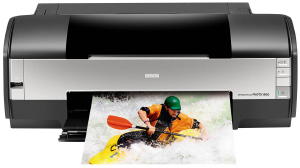
Another tweak you can use is in the printer settings for Photoshop or Illustrator and an Epson 1400 inkjet printer. Here you can adjust the printer to print a better black with a higher resolution. Follow these steps to make the adjustment when you print from the standard print dialogue box.

Go to File> Go to Print> Go to Properties. In the Paper Options choose type Ultra Premium Photo Paper Glossy. Now go to Advanced> Click Continue> In this Paper Quality Options section choose Ultra Premium Photo paper Glossy if it is not chosen already. Now click the box with the Photo RPM. Then in the Print Options you will un-click the High Speed box. The bottom line is you wan to turn off the high speed printing setting while using 100% CMYK objects and using the highest quality paper setting for your software and printer. (Do not use the gray-scale option. That would NOT allow for the use of CMYK blacks.) The instructions can vary form different versions of software and even between Photoshop and Illustrator. But if you can manage these tweaks, it should help out.

Again, I never claimed to be an expert on creating artwork or film positives but  these are a couple of tips I use whenever I create my own film positives without RIP software. When I get artwork with complicated designs, I often send the job out to get film positives made by someone who knows a lot more about it than myself. Getting your artwork set up properly for screenprinting is critical to job success. If your artwork sucks, so will the printing and the finished tee shirt.

Thanks for reading! Learn how to screen print with Catspit Productions, LLC!

Posted in Screen Printing | Tagged | 16 Comments

Catspit Productions & The NBM Show In Long Beach, August 11-13, 2011

I am very happy to officially announce that Catspit Productions has been invited to work the show as Catspit with RANAR. They invited me to attend the show with them in their booth as Catspit Productions. I will be there representing myself and RANAR. I am very excited to be at the show as an exhibitor and be able to get some additional exposure for the Catspit online educational screenprinting project. I will be attending the show in full Catspit regalia.

I will also be doing a 4 color print demo on white tee shirts in the booth at the show. I invite you to come by the booth and participate in he demo in order to get a free tee shirt. All you have to do is come by the booth and check out the RANAR equipment while you attend the demo. I will be giving out a limited supply of printed tee shirts to those individuals who have a genuine interest in RANAR products. But everyone is invited to come by the booth and watch the print demo even if you are not looking to buy equipment. I would love to see you all there.

On another note we will also be offering an introductory screen printing class at RANAR after the show on Monday and or Tuesday the 15th & 16th. If we get enough people to sign up we will have a screenprinting 101 class in which you get a full, hands on rundown of the process. From film to finished shirt, we will share with you what we know about screen printing for your research endeavors. And if you decide to purchase any equipment, the price of the class will be put toward your qualifying purchase. The exact fee and course material are yet to be finalized but it will be a pretty nominal fee.

So please contact us if you would like more information about the show or if you would like to sign up for the class ahead of time. And be sure to make your travel or lodging reservations as early as possible in order to save yourself some money. You can register for the show here. Registration for the Exhibit Hall is FREE until 7/13/11. It will cost $10 after deadline and at the show. Save yourself $10 bucks and register today!

Long Beach Convention & Entertainment Center
300 East Ocean Blvd
Long Beach, CA 90802

Exhibit Hall Hours
Thursday, August 11, 2011 – 10am to 5pm
Friday, August 12, 2011 – 10am to 5pm
Saturday, August 13, 2011 – 10am to 4pm

I hope to see you all there! Thanks for reading! Learn how to screen print with Catspit Productions, LLC!

Posted in Screen Printing | Tagged , | Leave a comment